Saudi Arabia, Dammam

info@saharayaljazeeratentsest.com

0594099562

The Leading Software for Vinyl Cutting

Design and cut signs, logos, decals, stickers, banners, labels, stencils, vehicle lettering, display graphics, and more — all with simplicity and precision. Elevate your sign-making projects with Easy Cut Studio, a powerful vinyl cutting solution for both Windows and macOS. Version 6 is now ready to download.

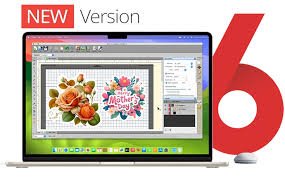
Introducing Easy Cut Studio 6

A globally trusted solution for sign design and vinyl cutting, built to work seamlessly with your vinyl cutter or cutting plotter. Design and cut within a smooth, all-in-one workflow that keeps everything simple and efficient.

Cut virtually any font along with SVG, AI, and PDF files — or create and cut your own custom artwork directly. The software also includes image tracing capabilities to convert pictures into clean vector graphics, plus a built-in library packed with hundreds of ready-to-cut vector shapes.

Thanks to its clean interface and powerful set of tools, users of any skill level can produce professional-quality results. Available for both Windows and macOS systems.

Powerful Design Tools

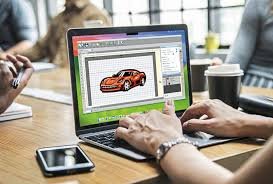
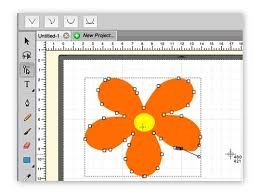
Designing and drawing has never been more straightforward. With flexible editing tools suited for beginners and experienced creators alike, this feature-rich vinyl cutting program combines everything you need into one complete graphic design solution.

Create original shapes, refine vector artwork, adjust sign layouts, and personalize text using any font installed on your computer — plus a variety of special effects. Easy Cut Studio 6 streamlines both the design and cutting process, making sign production smoother than ever.

Compact yet powerful, it delivers professional-level capabilities for vinyl plotting without complexity. No prior experience required — anyone can achieve polished, professional results.

Image Tracing & Vectorizing

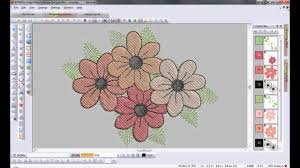
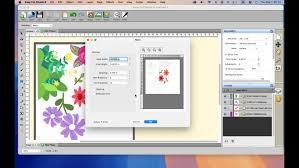
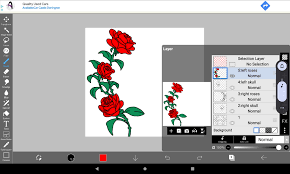
Advanced image tracing capabilities make it simple to convert pictures into fully editable vector graphics. Use the built-in tracing feature to generate precise, cut-ready outlines from imported files such as PNG, JPG, BMP, GIF, PDF, TIFF, PSD, TGA, and more — including scanned artwork.

Quickly produce clean vector paths suitable for vinyl cutting or continue refining them with additional editing tools as needed.

Computer Graphic Designing

Node Editing

Intuitive node-editing features give you complete control over your design outlines. Adjust individual points, lines, and curves with precision, and see your changes instantly through real-time previews. A built-in simplify option helps reduce excess nodes in a shape, making your paths cleaner and easier to manage.

Versatile Import/Export options

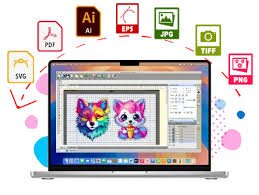
Works with over 20 popular file types, including widely used formats such as SVG, PDF, EPS, AI, PNG, GSD, FCM, WPC, along with various leading embroidery formats. You can also export your finished projects in eight different file formats for maximum flexibility and compatibility.

 
Computer Graphic Designing

Design and Cut Rhinestone Templates

Quickly transform your designs into rhinestone templates and create custom rhinestone artwork using built-in rhinestone-ready fonts. You can even add a decorative rhinestone spray around any design. With Easy Cut Studio’s rhinestone tools, you can embellish a wide range of items — from T-shirts, handbags, and jeans to textiles, phone cases, and more.

Weld Text and Shapes Together

The welding feature lets you merge overlapping text and shapes into a single, unified object by connecting them wherever they intersect. There are two methods to combine elements: Weld, which fuses shapes completely, and Join, which links them while preserving individual outlines.


Advanced Nesting

Auto Nesting automatically arranges multiple objects within a defined cutting area, maximizing material efficiency and minimizing waste. This feature helps you save both time and resources by making the most of every sheet of material.

Easy Cut Studio

Print and Cut (Contour Cutting)

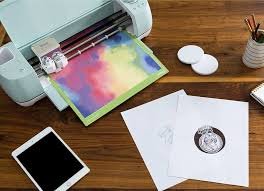
Professional Print-and-Cut Workflow makes creating decals and stickers effortless. Automatically generate contour paths and registration marks, then print your design and precisely cut around it with your vinyl cutter. You can adjust registration mark size, thickness, and offset for accurate alignment, ensuring clean, professional cuts every time.

Easy Cut Studio

Create and Manage Layers

Layered Design Made Simple – Build intricate designs using multiple layers and groups to manage the order of your objects. Layers give you greater control for organizing, editing, and cutting elements, including the option to cut by individual layer. You can also assign layers for specific tasks such as print-only, cut-only, scoring, drawing, or combined print-and-cut. The shadow layer feature lets you create outlines around shapes and text, perfect for precise contour cutting.

Easy Cut Studio

Full control over your vinyl cutter

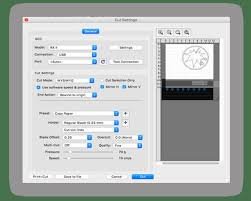
Effortless Vinyl Cutting – Achieve precise cuts with a wide range of flexible settings. Adjust cut mode, pressure, speed, mirror, multi-cut, scoring force, blade offset, overcut, and even Print-and-Cut options. Select individual objects to cut or apply settings to the entire design. These professional controls maximize your vinyl cutter’s capabilities, helping you complete projects faster and more accurately.

Supported Vinyl Cutters and Plotters

Compatible with Hundreds of Vinyl Cutters and Plotters – Works seamlessly with a wide variety of machines, including Roland, GCC, Graphtec, Vevor, USCutter, Mimaki, Mutoh, LOKLiK, HP Latex, Summa, UKCutter, Secabo, Desay Master, Siser, Rabbit, Creation PCut, JinKa, KNK, Silhouette, DGI, E-cut, Mycut, Refine, Saga, Teneth, Seiki, Foison, ROHS, SkyCut, Yinghe, Ioline, GSN, BDF, KASA, Vinyl Systems, Workhorse, AnaGraph, ProCut, Jaguar, MUSE, Liyu, PixMax, Redsail, GoldCut, Vinyl Express, and over 700 other models.

Universal Compatibility

Easy Cut Studio 6 has been tested and fine-tuned for hundreds of vinyl cutters and plotters, so there’s a high likelihood that your machine is fully supported!

Compatible with Windows and macOS – Works on Windows 11, 10, 8, 7, Vista, and XP, as well as macOS versions including Sonoma, Ventura, Monterey, Big Sur, Catalina, Mojave, High Sierra, Sierra, and earlier releases.

Multi-Language Support – Not an English speaker? Easy Cut Studio is available in 10 additional languages, including French, Italian, Spanish, German, Dutch, Norwegian, Portuguese, Japanese, Traditional Chinese, and Simplified Chinese.

More features that make ECS 6 simply awesome

  • Nesting Tool – Optimize cutting layouts to save material and reduce waste.

  • Font Cutting – Cut any font installed on your Windows or macOS system.

  • Text and Shape Effects – Apply layouts and special effects to enhance designs.

  • Layer Assignment – Assign layers for print-only, cut-only, draw-only, or combined print-and-cut tasks.

  • Auto-Fill – Ideal for laser engraving and diamond engraving projects.

  • Punching Support – Create holes for manual punches or piercing tools.

  • Multiple Cut Options – Easily handle thick or tough materials.

  • Registration Mark Control – Adjust size, thickness, and placement for accurate contour cutting.

  • Shadow Effects – Generate shadowed mats for text and shapes.

  • Text on Path – Place text along arcs or Bezier paths with ease.

  • Stencil Function – Bridge interior shapes for stencil creation.

  • Dual-Head Support – Utilize machines with multiple heads.

  • Convert Text to Paths – Transform text into outlines for cutting.

  • Direct Scanning – Import scanned images straight into the software.

  • File Conversion – Convert SVG to FCM (Brother ScanNCut) and export G-code for CNC machines.

  • Variable Data & Production – Supports batch printing and cutting with variable inputs.

  • Connectivity Options – Works with USB, COM/Serial, LPT/Parallel, Bluetooth, and Wi-Fi.

  • WYSIWYG Interface – What you see on screen is exactly what gets cut.

  • Shape Library – Access over 300 pre-made vector shapes.

  • Offline Operation – Save .PLT files to a USB drive for cutting without a computer.

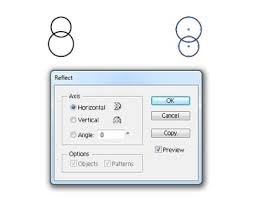
  • Image Manipulation – Mirror, flip, or apply bitmap textures to designs.

  • Jigsaw Puzzle Generator – Easily create puzzles with full control over pieces.

  • Selective Cutting – Cut only the objects you select.

  • Pressure & Speed Control – Adjust cutting pressure and speed directly in the software.

  • Gradient Fills – Apply multi-color linear or radial gradients.

  • Apple Silicon Optimized – Fully optimized for modern Macs.

  • Undo/Redo – Unlimited undo and redo options.

  • QR Code Generator – Create QR codes with user-specified data.

  • 64-Bit Optimization – High performance on Windows and macOS.

  • Multi-Language Support – Available in English, German, Italian, Portuguese, French, Spanish, Russian, Japanese, Chinese, and Dutch.

This comprehensive toolset makes Easy Cut Studio 6 a complete solution for designing, cutting, engraving, and producing professional-quality vinyl and graphic projects.

    Cart